 Adding a Campus Printer
Using your browser, go to http://www.cui.edu/printing/
From the pull down menu on the page, select the building and floor where the printer is located.

On the page that appears, locate the printer you wish to add.
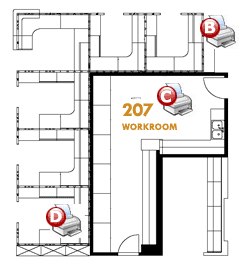
Now go to the bottom of the page and find the corresponding link to the printer location indicated on the map.
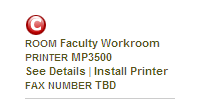
Click on the Install Printer link and follow the directions on the screen.