| |
CELT
Tools for Faculty |
| |
These resources are
available for faculty to use. They are housed in LA115.
Support is available to learn how they operate.
|
|
The professional level of SPSS
software for statistical analysis is loaded on a computer, along with the
addition of several other modules of the software. |
|
|
You are already familiar with
PDF files. The software tool available in the lab will allow you to turn
Word and other documents into PDF files. It is simple, easy to use software. |
| |
Dazzle is a combination of an
input device and software that will allow you to take clips from a VHS tape
and convert them to digital video. This digital video can be viewed with
Windows Media Player or Real Player. This video can be inserted into PowerPoint
presentations. Ability to burn a CD with the video on it is also available. |
| |
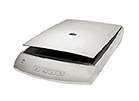
An HP scanner is available to
turn photographs, drawings, and other printed materials into digital images. |
| |
Each computer in the faculty
lab is equipped with a CD burner and software to store files, pictures,
presentations, etc. You have access to anything you have stored on the shared
network drive and can burn those items to a CD directly. |
| |
HearMe is a Voice over IP (VoIP)
technology. With a computer and a headset, you can do confernce calls or
group chat sessions with your class. It is easy to operate and works quite
well. It was pioneered in the CUS by Mequon, and is used by many of the
CUS schools. We have been using it for CUAccelerate classes. It can be set
up for classes, groups (CAIS is an example), or other collaborations to
facilitate discussions. |
| |
Blackboard is a courseware tool
to post resources for your class, such as handouts and presentations. It
has the ability to operated a threaded discussion through the Discussion
Board feature. In addition you can post links to various websites that will
enhance the learning of your students. No knowledge of HTML is required.
|
| |
X
CONTACT THE CELT STAFF
Paul Massmann (x1507)
[email protected]
|