
Many times in scientific document you will need to create superscript and subscript characters within formulas. Word can easily handle this through the Font menu.
Superscript:
Subscript:


1
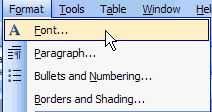
Highlight the number you want to adjust. On the menu bar, go to Format / Font.
2
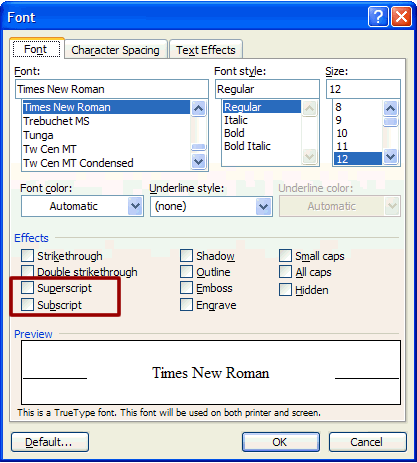
Select either Superscript or Subscript on the menu (see red box above). Click OK. Repeat this process each time you want to create superscript or subscript. An alternate is to copy one you have created in the document and paste it where you want it. This saves going to the menu each time to create the superscript or subscript.