 |
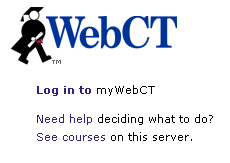
WebCT for Concordia is located at: Once you arrive at the page you will see a screen similar to the one at the left. You will click on the underlined Log in to line. |
 |
This will bring up the access page for entering your WebCT ID and Password. These will be supplied to you before the class begins. Please note that the WebCT ID and Password are CASE SENSITIVE. Please be careful to follow the information exactly as it was given to you. Click on the gray Log in box when you have entered the information. |

On the left side of the new page, you will find the Courses for which you are registered. On the right side, you will see general Announcements for everyone using WebCT. You will find a link to the Eaglenet, the campus news publication, upcoming campus events, as well as announcements of scheduled outages of the server for maintenance.
You may also see some notations
under your courses. The ones shown above by the person and pushpin are
for new discussion postings for the courses. The envelop indicates new
WebCT mail. Enter your course by clicking on the underlined title for
the course, such as ALA309 The Physical
World. If you wish to go directly to the new discussion
postings for that class, click on the person and pushpin. To enter the
new mail area directly, click on the envelop to go directly to the mail
for that course.
Although one of the options at the top is to change the password, we strongly suggest that you keep the password you were assigned. This password works not only in WebCT, but also in Blackboard and for accessing library databases from off campus. This password is changed annually just before the start of the fall semester. You will receive notification of your new password at that time.
What about technical problems? Occasionally, certain functions may not be working properly on your computer. You can contact the online helpdesk with your request by sending an email to [email protected] or phoning at (949-854-8002 x1507). Unless you happen to find him in his office, email will most likely get you the quickest response.