

 |
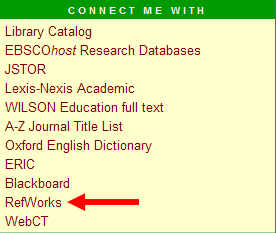
On the home page of the library, http://library.cui.edu, look in the left column for the Connect Me With section. Click on RefWorks. |
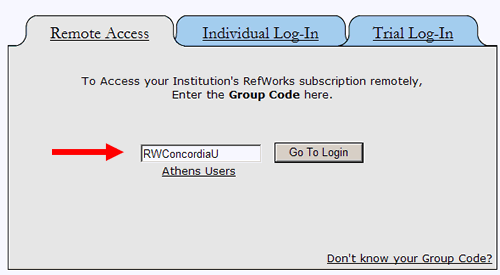
You are only concerned with the Remote Access area of this page. Once
you enter the Group Code, you can either establish a new account or log
into your existing account. In
the Group Code box, enter RWConcordiaU as seen above.
Please note that it is case sensitive. Click Go To Login.
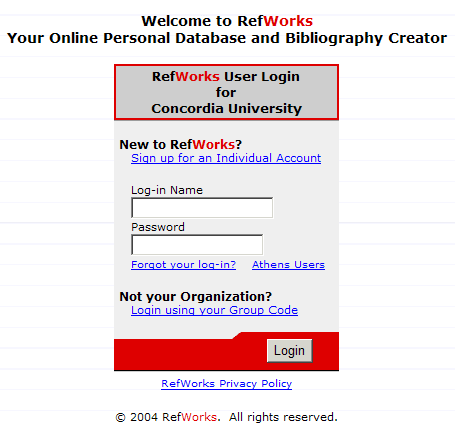
New Users: If you have never created an account on RefWorks, click on the Sign up for an Individual Account link. Proceed to fill in all the blanks they provide, and then click on Register. Make a note somewhere of the login name and password you select so you can access this account in the future. Also note that the Login Name and Password are case sensitive. You may wish to select the user name (Banner number) and password given by the library for access to the online data bases to simplify remembering your information. Once you register, you will receive a confirmation email giving directions to access the site in the future.
Returning Users: If you have already created an account, put your Login Name and Password in the blanks and click Login. Remember, this is an account you created and the login name and password will not match the ones given you by the library to access data bases unless this is how you created the account. After typing in your Log-in Name and Password, press the Enter key. The library can not retrieve login names and passwords from RefWorks for you.