
With RefWorks you can create your own personal database by importing references from online databases. You can use these references in writing papers. RefWorks will automatically format the citations and the bibliography in the correct format.
The following links are the steps (in order) to accomplish moving your information into RefWorks:
2. Selecting and Importing Citations from EBSCOhost Research Databases

Helpful Hints and Tips
This section will give you some additional information to use when using other databases than EBSCOhost, as well as in citing information as you write.
Create a Folder within RefWorks for each paper (Why? As you do more papers, this will keep all the information for each one in its own location, thus avoiding confusion):
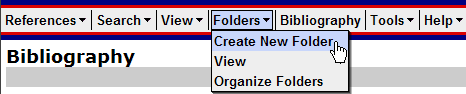
From the menu bar, click Folders and slide to Create New Folder.
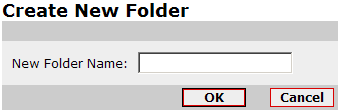
Give the folder a name and
click OK.
Importing citations from a different database vendor
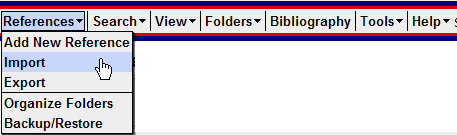
Using the drop down menu bar, go to References and slide to Import.
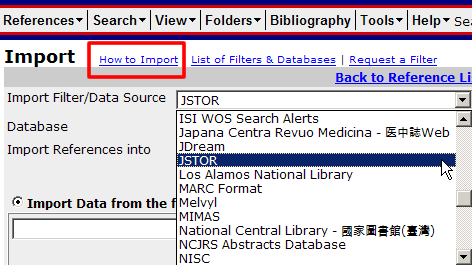
From the dropdown menu, select the Import Filter/Data Source you are using. If your Import Filter/Data Source has more than one data base, you need to select that information from the drop down menu for Database.
Follow the directions on the
screen. Click on How to Import (see red box above) to find out how to
import from databases other than EBSCOhost.
Use Write-N-Cite to write your paper
Write-N-Cite will automatically format citations with your paper as you use them. Here is how you use this utility.
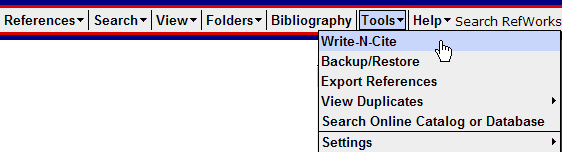
- From the menu bar, go to Tools and slide to Write-N-Cite.
- Download the utility program.
- Open Microsoft Word.
- Write your paper. When you finish a section that needs to be cited, click the Cite link next to the appropriate reference in RefWorks.
- Repeat for each section that needs a citation.
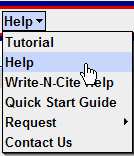
RefWorks has an extensive online tutorial. You can access it at http://www.refworks.com/tutorial/. Don't forget that there is a HELP menu located in the Help drop down menu on the navigation bar.